Introduction:
Welcome to my weekly walkthrough! If you’ve stumbled across this blog while looking for a detailed guide to the Phishing Email blue team challenge from LetsDefend, you’re in the right place.
This challenge is rated as beginner-friendly by the authors, making it a great starting point if you’re interested in learning more about phishing analysis and email investigations.
For this challenge, we’re putting on the boots of a security analyst investigating a suspicious email that appears to be from PayPal. While the message looks convincing at first glance, our job is to determine whether it’s legit or part of a phishing campaign.
Fortunately, we’re provided with the original email in .eml format. Using artifacts contained within the message itself, we’ll examine email headers, identify embedded URLs, investigate domain reputation, and leverage external threat intelligence sources to confidently answer if it’s phishing or not.
What’s in the toolbox for this investigation? We’ll use Mozilla Thunderbird, VirusTotal, and Netify to analyze the message from both a user and analyst perspective. More importantly, we’ll practice one of the most valuable skills in cyber defense: collecting multiple indicators and correlating them to make an informed decision.
Since this challenge is intended for beginners, I’ll take a little extra time to explain what we’re looking at and why it’s important. Remember, the goal isn’t just to get the right answers, but to understand the thought process behind investigating suspicious emails in the real world.
Sounds like fun, right? Let’s go!
Thanks for reading and going on this investigation with me!
This write-up is for educational purposes only. All intellectual property related to the challenge belongs to the respective owners [LetsDefend]
Challenge Scenario:
Your email address has been leaked and you receive an email from Paypal in German. Try to analyze the suspicious email.
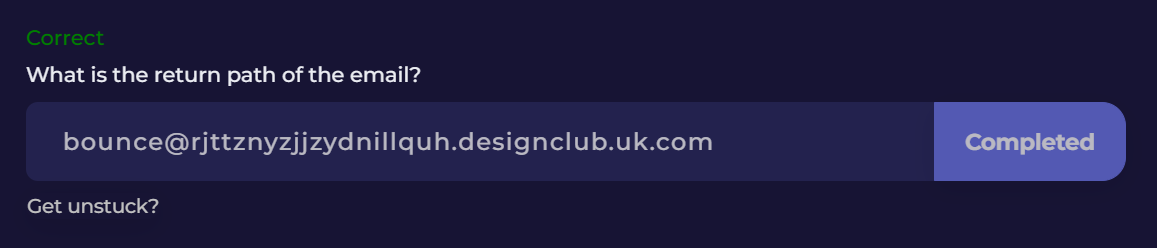
Question 1: What is the return path of the email?
Let’s kick off this investigation. Extract PhishingChallenge.zip from the Files folder on the Desktop to reveal our challenge artifact, paypal.eml.
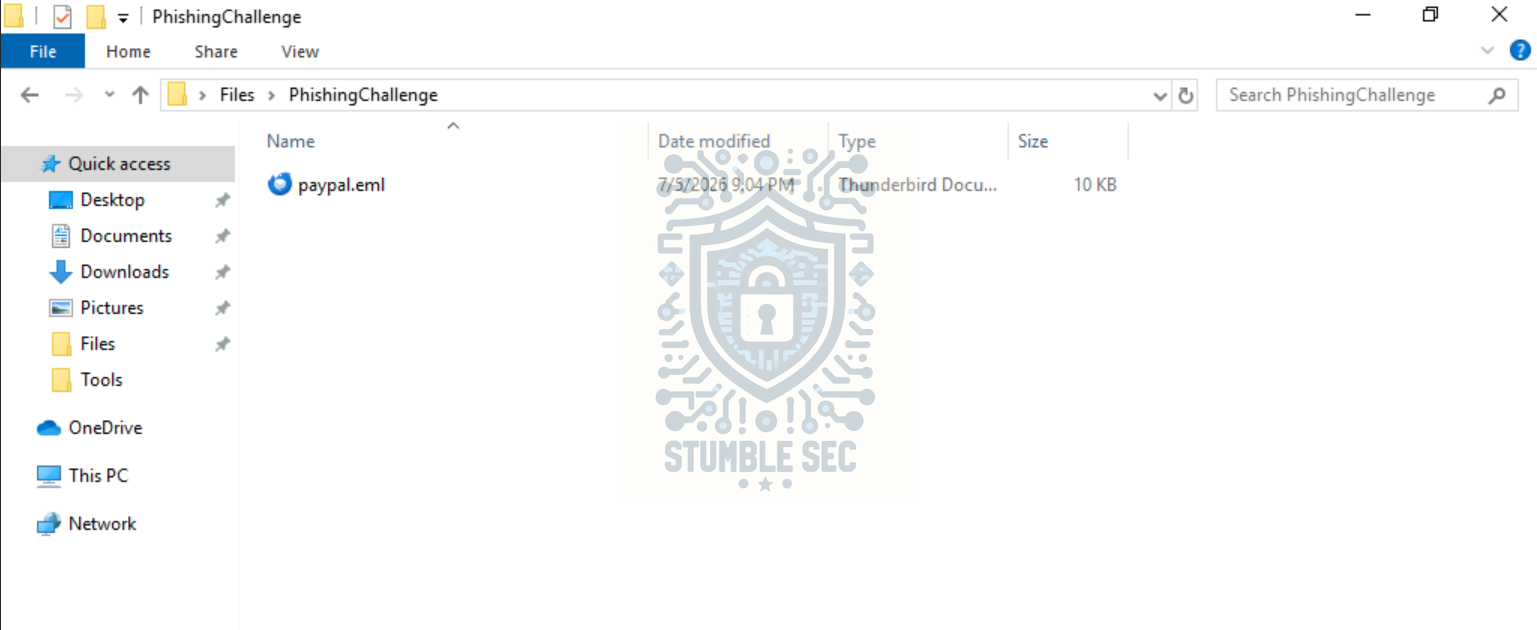
Overview of the Challenge Artifacts
We have a couple of ways to analyze this in the real world. Since this is a beginner-friendly challenge, we’re going to focus on manual, hands-on analysis. To start, we’ll open the email in a mail client and view it from the same perspective as an end user.
Once the file is extracted, double-click paypal.eml to open it in the Mozilla Thunderbird mail client provided in the LetsDefend VM. This displays the phishing email, but we’re interested in the Return-Path value.
If you’re new to header analysis, I’ll point you to an excellent reference, the Email Headers Guide from Mailtrap. This is a handy resource if you need more information about a particular header. For example, they describe the Return-Path as:
Return-Path is added automatically by the recipient’s email server and records the initial sender during the SMTP session. Any bounces that occurred during the SMTP session return to the Return-Path address.
Put another way, this can help give us a clue about the sender’s infrastructure and identify mismatches between what is displayed in the From field and the actual sending source or bounce address.
To access the header information, press View > Message Source (or Ctrl+U) to display the full message headers:
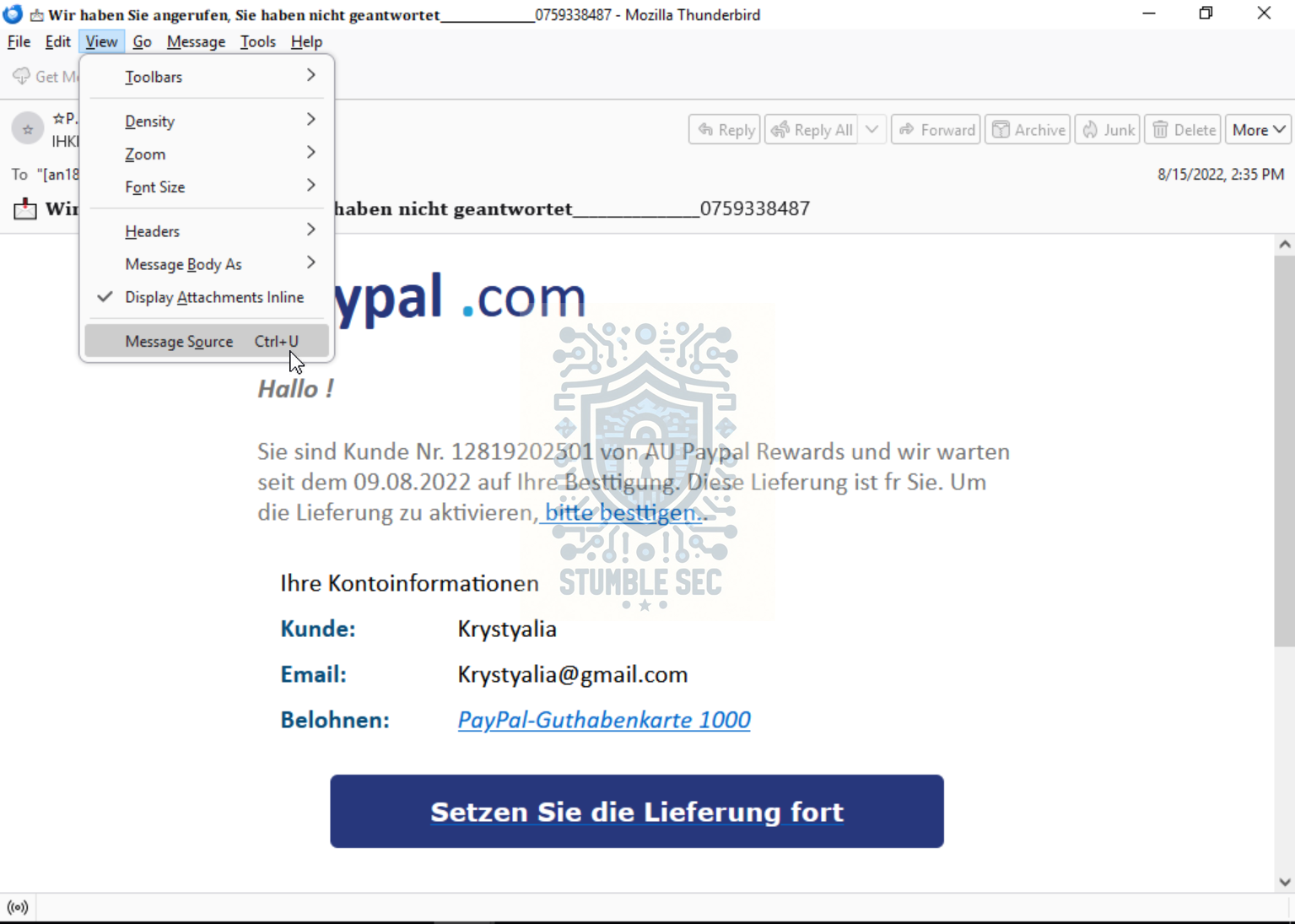
Thunderbird: Accessing the Message Source
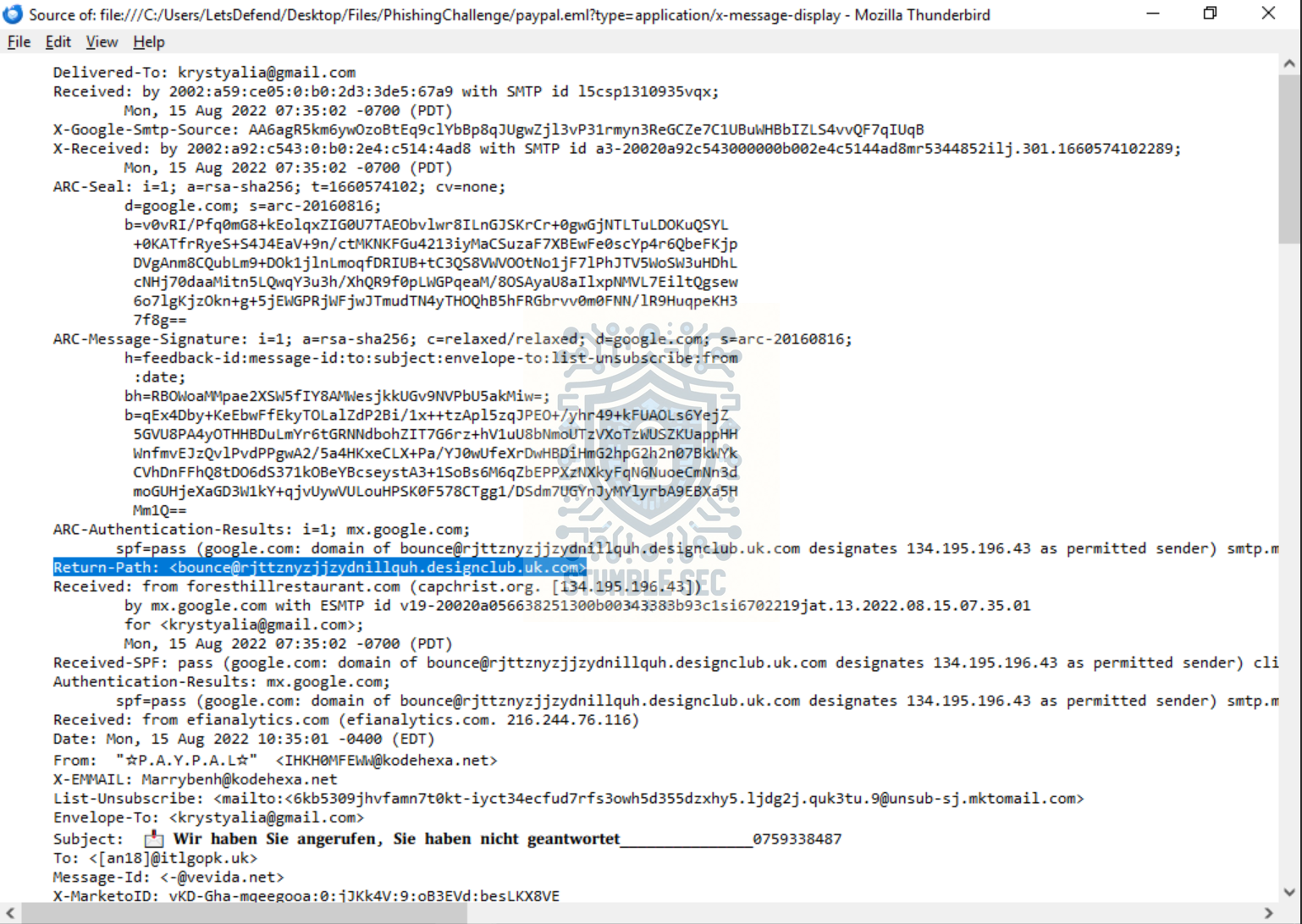
Thunderbird: Identifying the Return-Path header in the Message Source
Notice that the Return-Path is not related to the visible sender domain, kodehexa.net. More importantly, it isn’t associated with PayPal, despite the email presenting itself as a PayPal message. This mismatch is an early indicator that the message might not be legitimate and warrants closer investigation.
Question 2: What is the domain name of the url in this mail?
Our next task is to identify the domain name of the URL embedded in the email. We can approach this in two ways.
- Hover over the link in the rendered email within Mozilla Thunderbird. This is the same process we security folks often tell users to follow before clicking a link.
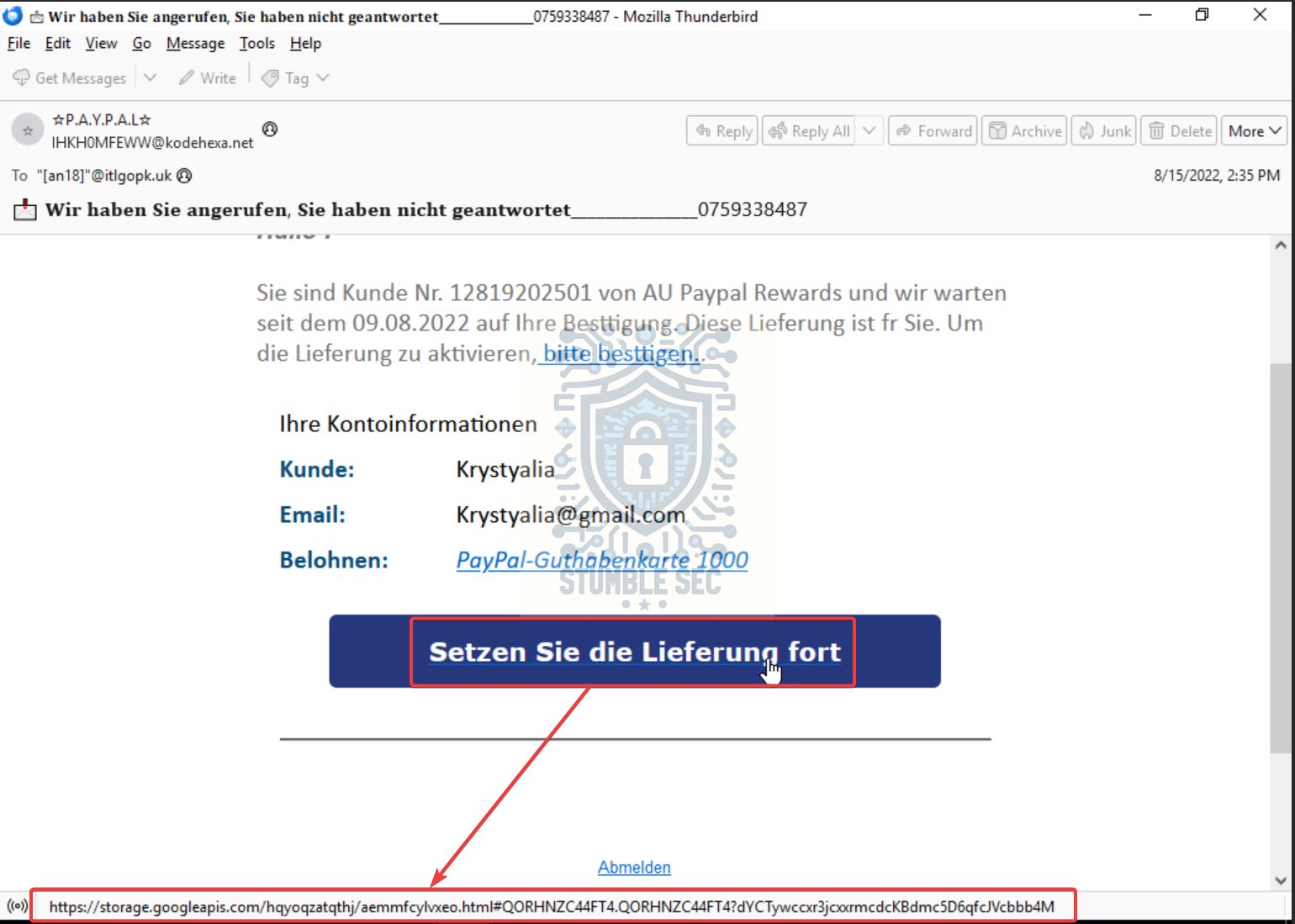
Thunderbird: Examining the link URL in the email body
- We can also locate the URL in the email’s message source. Since the source displays the HTML content of the message, we can find the
hrefattribute associated with the button.
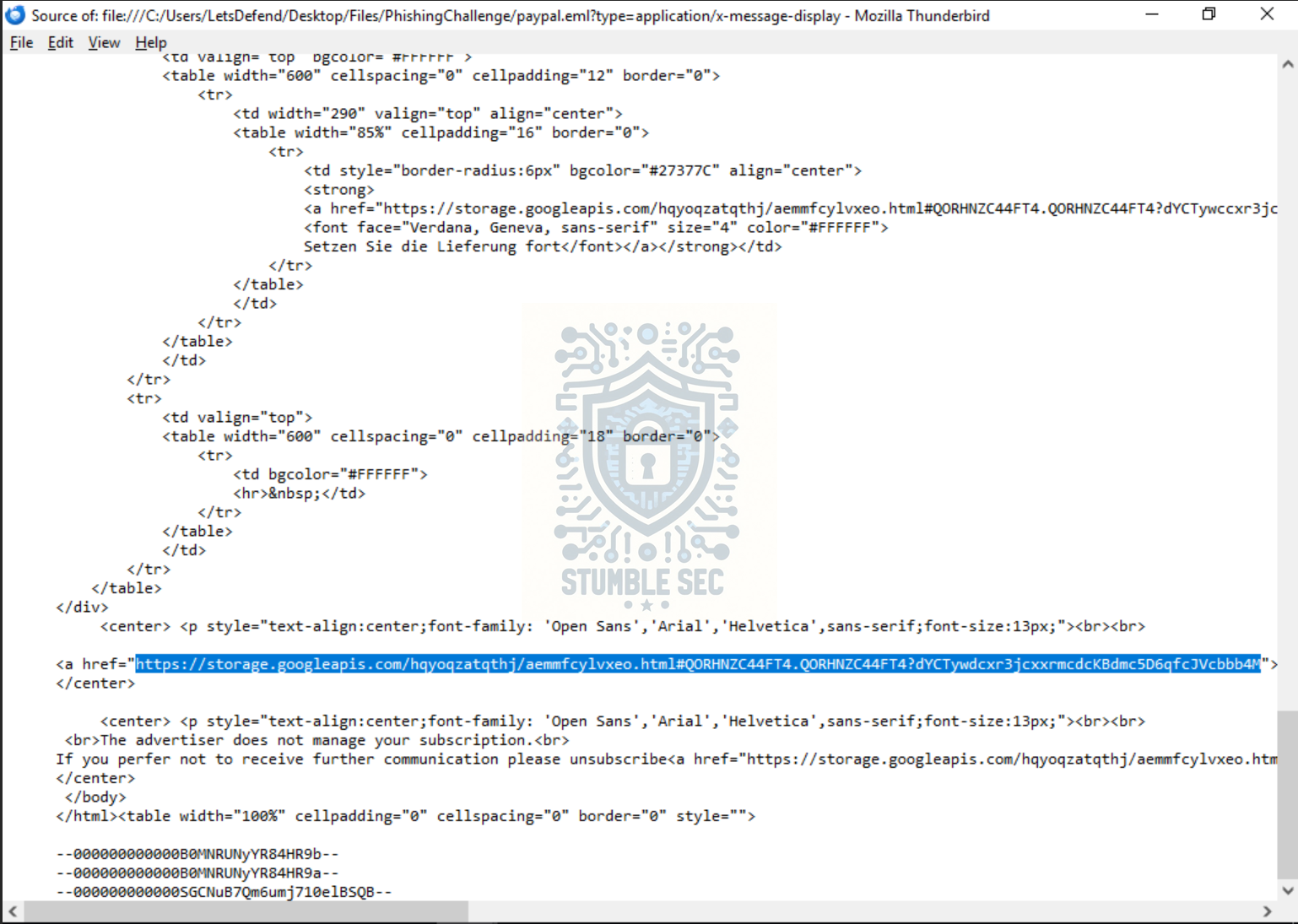
Identifying the URL in the message source
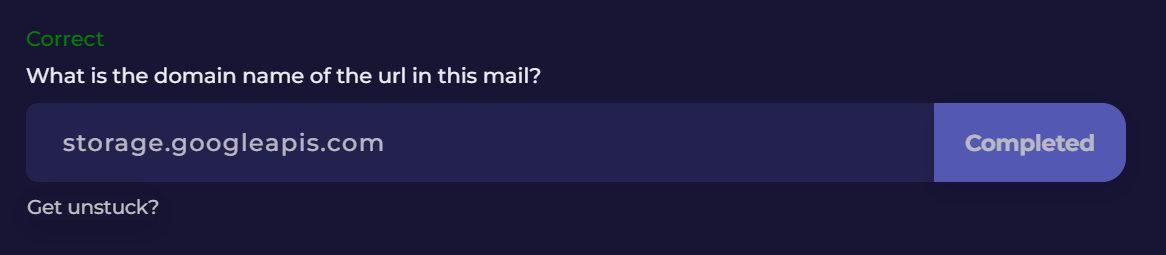
Both methods reveal the same destination URL. For Question 2, we don’t need the full URL, only the hosting domain. In this case, the domain is storage.googleapis.com.
Question 3: Is the domain mentioned in the previous question suspicious?
This is a tricky question and a good demonstration of attackers abusing legitimate services to host phishing content.
Let’s do some external research to learn more about the domain. One useful resource is Netify, which provides information about domains, hostnames, and the services associated with them. Looking up storage.googleapis.com, we find the following description:
storage.googleapis.com is associated with the Google Cloud Storage application. The hostname points to approximately 560 IP addresses on Google Cloud Platform. The hostname is part of the googleapis.com domain.
This tells us that storage.googleapis.com is a legitimate Google-owned domain used by Google Cloud Storage.
However, legitimacy does not automatically mean it’s not suspicious. Attackers can and do abuse trusted cloud platforms to host phishing pages, malware, and other malicious content. Doing so may help bypass basic domain reputation checks and can make links appear more trustworthy at first glance. This technique is often referred to as trusted-platform phishing.
Let’s take this a step further and examine the full URL in VirusTotal to see whether it has been reported by the broader security community. Copy the complete URL from the message source and search for it in VirusTotal.
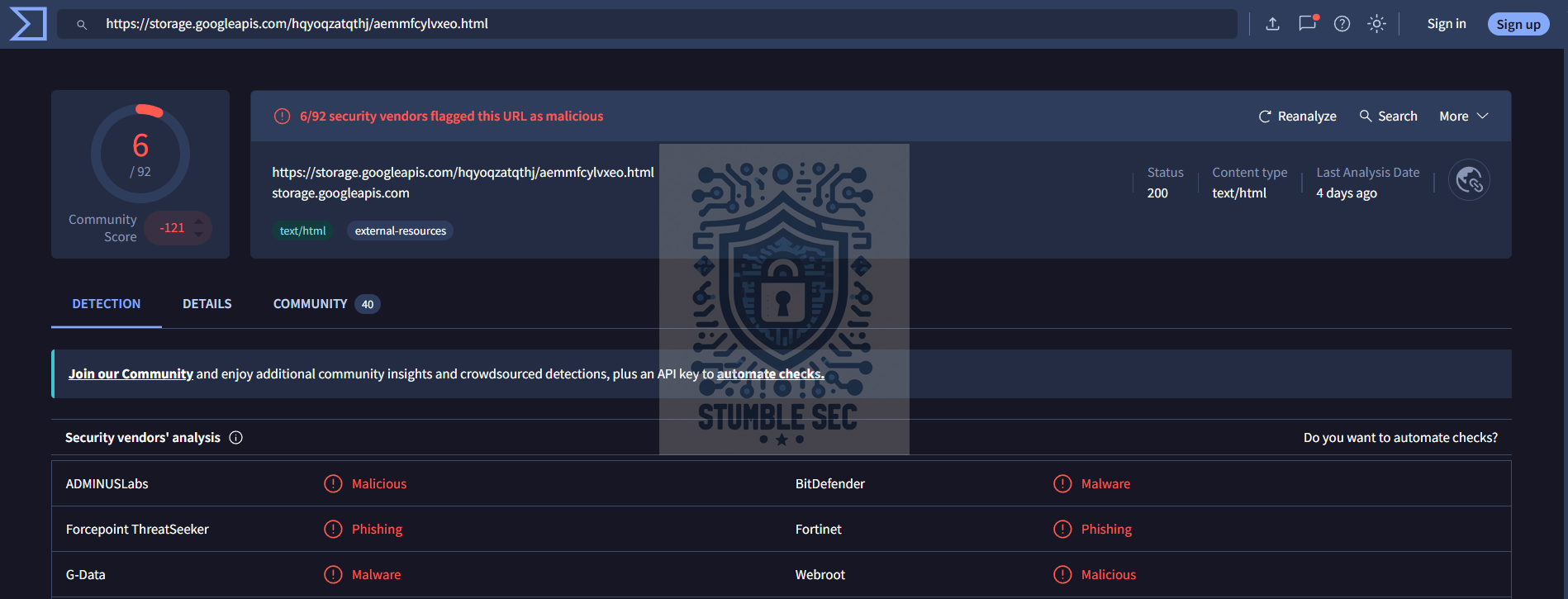 VirusTotal: Checking the full URL against known threat intelligence
Reviewing the results, we can see detections from security vendors, a negative community score, and comments from other researchers. These indicators give us additional context about the URL and help us determine that this is suspicious.
Question 4: What is the body SHA-256 of the domain?
For Question 4, we’re only concerned with the domain, not the full URL. Fortunately, we’re already a step ahead from our earlier VirusTotal investigation.
Modify your search so that it only includes https://storage.googleapis.com/. We’ll see that there are no explicit detections associated with the domain itself. However, the community score and comments provide additional context, with several users noting that the service is frequently abused to host phishing pages and other criminal content.
To answer Question 4, we’re interested in the Body SHA-256 value associated with the domain. In VirusTotal, this can be found under the Details tab by expanding HTTP Response and locating Body SHA-256.
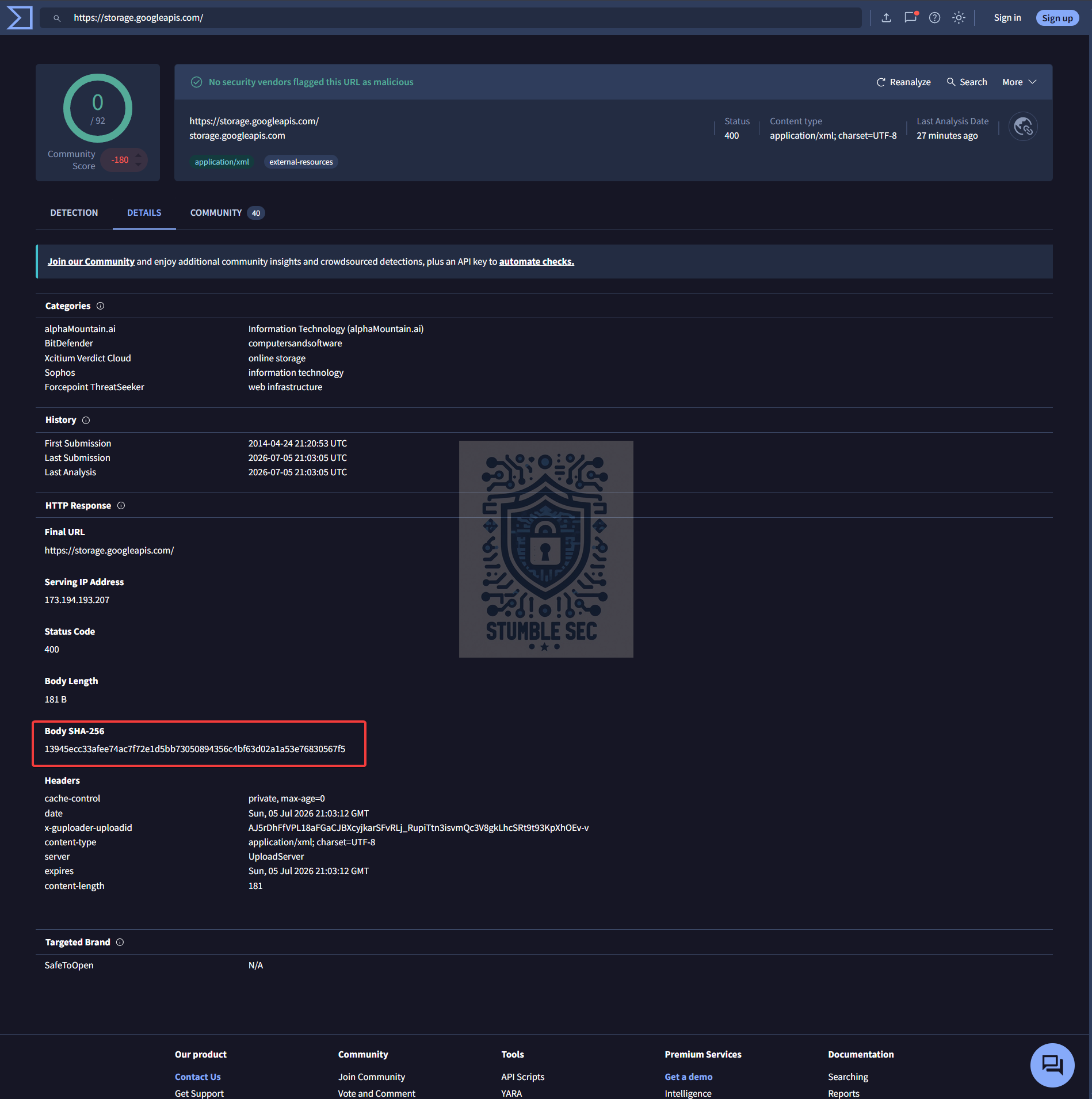
VirusTotal: Identifying the body SHA-256
As we can see, the Body SHA-256 value is:
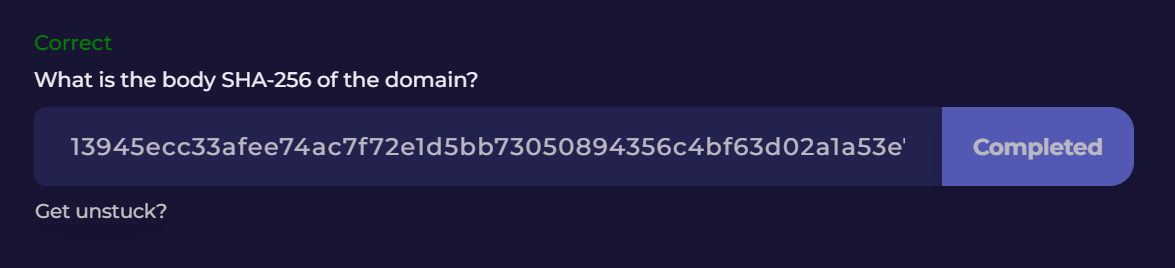
13945ecc33afee74ac7f72e1d5bb73050894356c4bf63d02a1a53e76830567f5
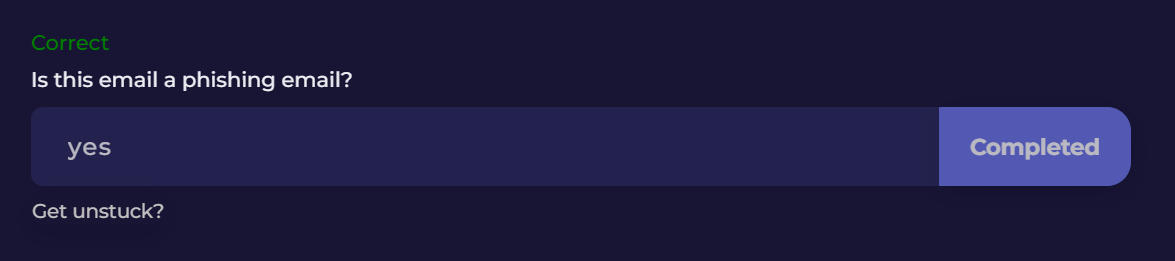
Question 5: Is this email a phishing email?
We’ve made it to the final question. Let’s put everything together and determine whether this is a phishing email.
We don’t need to see the final payload to identify several significant red flags. The email claims to be from PayPal, yet the sender infrastructure we’ve examined doesn’t align with PayPal. The Return-Path is unrelated to PayPal, and the sender information does not match the organization the email claims to represent.
We also identified a URL hosted on storage.googleapis.com. While the domain itself is legitimate, our investigation showed that threat actors can abuse trusted cloud platforms to host phishing content. Looking at the full URL in VirusTotal, we found detections from security vendors, a negative community score, and comments indicating that the URL has previously been associated with malicious activity.
When we combine the suspicious sender infrastructure, the impersonation of PayPal, and the threat intelligence associated with the URL, the evidence strongly suggests that, YES, this is a phishing email.
Conclusion:
How fun was that! A big thank you to LetsDefend for another awesome challenge.
This challenge was a nice introduction to manual email and header analysis and did a great job of demonstrating how analysts can identify phishing emails using freely available tools and resources. While the investigation was straightforward, it introduced several concepts that form the foundation of real-world email triage and phishing analysis.
Working through the challenge, we examined key email headers, investigated sender infrastructure, extracted URLs from the message body, and enriched our findings with external threat intelligence. Resources like Mailtrap’s Email Headers Guide helped us better understand what we were looking at, while VirusTotal provided additional context that helped validate our assessment.
Personally, my favorite part about this challenge was that it mirrored a condensed version of a real-world investigative workflow. We started with a suspicious email, performed additional research, added context with threat intelligence, and then used the combined findings to reach a solid conclusion. Whether you’re investigating phishing emails, suspicious domains, malicious files, or security alerts, this process remains largely the same.
I chose this week’s challenge because phishing analysis remains one of the most valuable skills for defenders at any experience level. While AI, ML, dynamic detonation, and the like are increasingly common in defensive tooling, phishing triage is still a core foundational skill. The challenge was short, approachable, and logical, with each question naturally building on the previous one. It’s an excellent starting point for anyone interested in learning how to analyze suspicious emails without immediately relying on automated tools to provide the answer.
Thanks for your support and partnering on this investigation. If you found this walkthrough helpful, please give it a clap and consider following me! Your feedback is invaluable, and it pumps me up to support your security journey. Remember, cybersecurity is a team sport, and we’re in this together!
Until next week’s challenge, stay curious and be safe out there!

Tools & References:
Challenge Link: https://app.letsdefend.io/challenge/phishing-email
Mailtrap - Email Headers Guide: https://mailtrap.io/blog/email-headers/
Netify - Hostname Info: https://www.netify.ai/resources/hostnames/storage.googleapis.com
VirusTotal: https://www.virustotal.com/
VirusTotal - Phishing Link: https://www.virustotal.com/gui/url/368c807550a0b3938b38f126a35cd732b211bb0f174638234670b84a5299af96