Introduction:
Welcome to my weekly walkthrough! If you’ve stumbled across this blog while looking for a detailed guide to the XLMRat blue team challenge from CyberDefenders, you’re in the right place.
In this challenge, we’re provided with a packet capture from a compromised system that has been flagged for suspicious network activity. Our job is to analyze the capture, determine how the malware was delivered, identify the payloads involved, and piece together the attack chain.
The PCAP serves as our anchor throughout this lab. Rather than starting with a malware sample or endpoint evidence, we’ll rely on the network traffic itself to uncover the artifacts we need. As we work through the investigation, we’ll bust out tools like Wireshark and CyberChef to extract artifacts, decode embedded content, and identify the evidence hidden within the capture.
Once we’ve recovered those indicators, we’ll enrich them with external threat intelligence sources such as VirusTotal and IPinfo.io to learn more about the infrastructure, malware family, and attacker techniques associated with the activity.
Along the way, we’ll identify a staged malware payload, recover a second-stage executable, examine malware metadata, uncover LOLBin abuse, and build a timeline of events directly from the network evidence.
Sounds like fun, right? Let’s go!
Thanks for reading and going on this investigation with me!
This write-up is for educational purposes only. All intellectual property related to the challenge belongs to the respective owners CyberDefenders
Challenge Scenario:
A compromised machine has been flagged due to suspicious network traffic. Your task is to analyze the PCAP file to determine the attack method, identify any malicious payloads, and trace the timeline of events. Focus on how the attacker gained access, what tools or techniques were used, and how the malware operated post-compromise.
Setup the Analysis Environment & Extract the Challenge File:
Safety first! It’s always important when working with lab/challenge files from CyberDefenders (or any educational lab/challenge/range), to keep yourself protected by performing these tasks in a dedicated, isolated virtual machine environment. I’m using FLARE-VM for this challenge which is “a collection of software installations scripts for Windows systems that allows you to easily setup and maintain a reverse engineering environment on a virtual machine (VM).”
To keep this write-up focused I’m going to skip the step-by-step setup of FLARE-VM but if you’d like to set up your own environment, please follow the directions provided directly by FLARE-VM on GitHub.
https://github.com/mandiant/flare-vm
Once you have a safe virtual environment created, updated, isolated, and snapshotted, we can extract the challenge file and start the investigation!
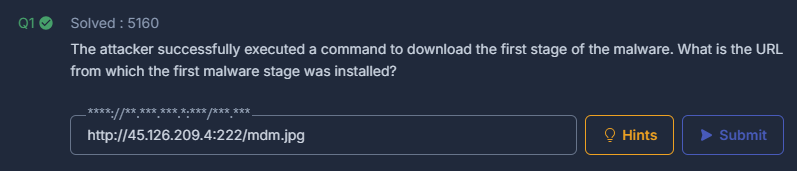
Question 1: The attacker successfully executed a command to download the first stage of the malware. What is the URL from which the first malware stage was installed?
Let’s kick off our investigation by extracting the XLMRat.zip archive to reveal our challenge artifact, 236-XLMRat.pcap.
This is a network packet capture file, so we’ll start our analysis using Wireshark, which will allow us to dissect the network traffic and figure out what the attacker was up to.
 Overview of the challenge file
A smart starting point is to get an idea of all the endpoints contained within the traffic so we can identify any internal or external IP addresses involved.
To do this, navigate to Statistics > Endpoints > IPv4.
With this view in place, notice that there are two private IP addresses and one public IP address. Based on the packet counts, it appears that the victim host is 10.1.9.101, while the remote system is 45.126.209.4.
 Wireshark: Identifying the IPs in the PCAP
To answer Question 1, we’re looking for the first stage download activity and the URL from which it originated. A good next step is to filter for HTTP GET requests originating from the suspected victim host.
|
|
This display filter leaves us with just two packets, each associated with a downloaded file.
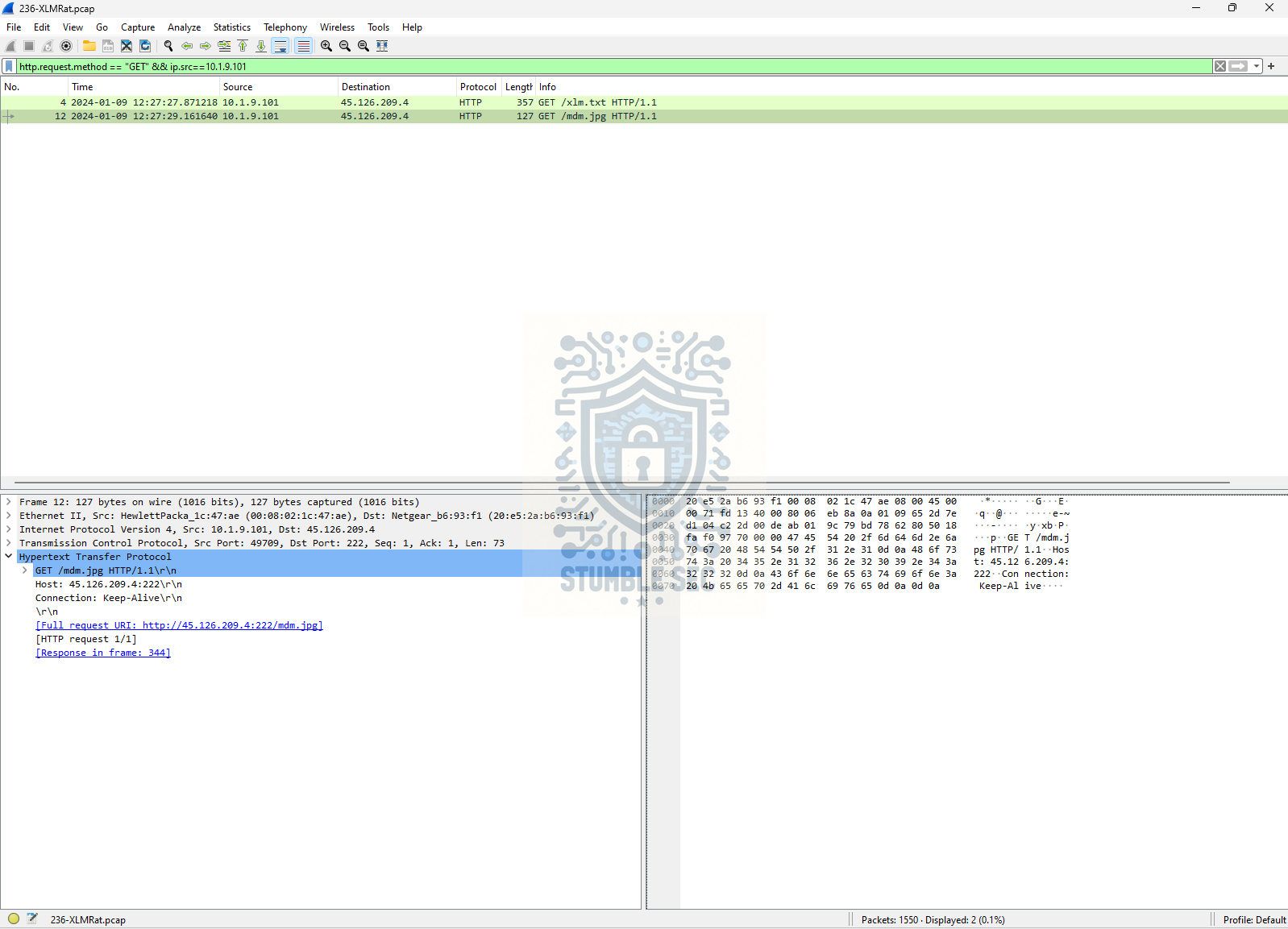 Wireshark: Filtering HTTP GET requests
Focus on the second result, /mdm.jpg. Right-click the row and select Follow → HTTP Stream. Inside, we’ll find a big ‘ole block of hexadecimal data along with several functions near the bottom that resemble script content.
 Wireshark: Reviewing the HTTP stream
This suggests we’re looking at the first-stage payload masquerading as an innocent image file.
Question 2: Which hosting provider owns the associated IP address?
Let’s do a little reconnaissance to determine which hosting provider owns the IP address hosting the first-stage payload: 45.126.209.4.
While there are plenty of tools that can provide IP enrichment data, I prefer IPinfo.io for quickly gathering context about an IP address.
 IPInfo.io: Identifying the hosting provider
After searching the IP address, we can see that the host is associated with ReliableSite.net.

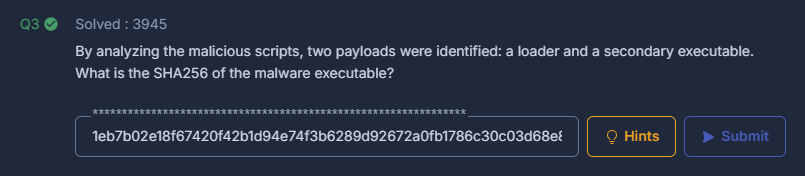
Question 3: By analyzing the malicious scripts, two payloads were identified: a loader and a secondary executable. What is the SHA256 of the malware executable?
Remember in Question 1 that we noticed the HTTP stream contained a large block of hexadecimal data along with several script functions? To answer Question 3, let’s dig into that hex and see what we can find.
It appears that the hex data is assembled into a second-stage executable, which we need to recover so we can obtain its SHA256 hash. Before we can do that, we’ll need to reconstruct the file.
For this task, we’ll use CyberChef so we can copy the hex blob and extract the embedded file.
 Wireshark: Analyzing the script contents through the HTTP stream
First, copy the hex code in the packet between $hexString_bbb = and $hexString_pe =.
 Wireshark: Copying the Hex (1 of 2)
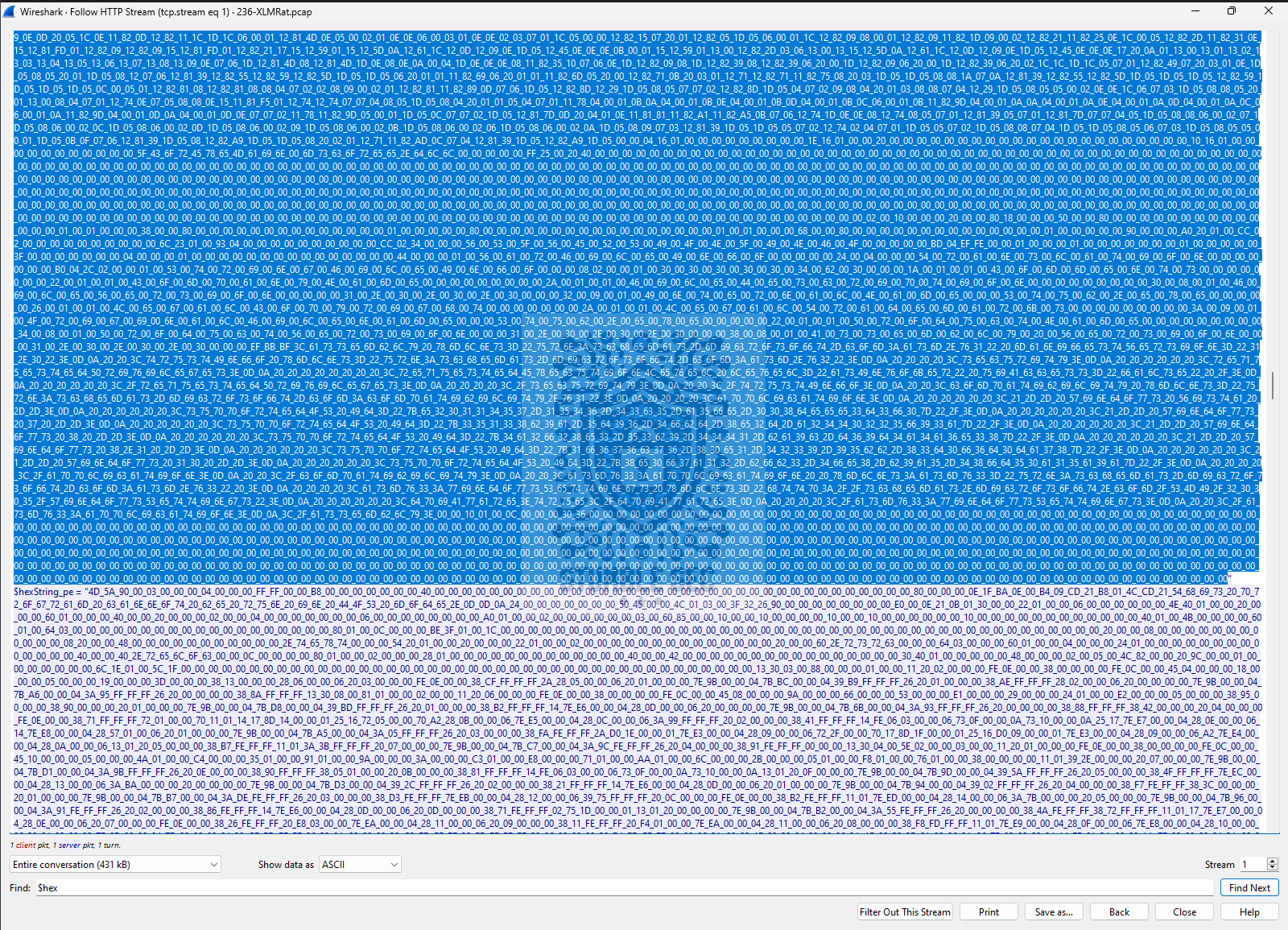 Wireshark: Copying the Hex (2 of 2)
Paste the data into CyberChef’s input window, then apply the From Hex and Extract Files operations to the recipe. This will reconstruct the embedded file so it can be downloaded for further analysis.
 CyberChef: Decoding, extracting, and downloading the second-stage executable
Important: In my analysis environment, Microsoft Defender Antivirus immediately detected the downloaded file as malware. This is a good reminder of why malware analysis should always be performed inside an isolated lab or sandbox environment. Running unknown files on a production system can result in an unintended compromise.
Once the file has been downloaded from CyberChef, we can use PowerShell and the Get-FileHash cmdlet to calculate its SHA256 hash.
 PowerShell: Obtaining the second stage file hash
|
|
Having the SHA256 hash of the second-stage payload is extremely handy because it allows us to pivot into threat intelligence and gather additional context about the malware to learn more about what we’re up against.
Question 4: What is the malware family label based on Alibaba?
Next up, we’ll take the second-stage hash we collected in the last question and start gathering additional intelligence about the binary.
For this, we’ll use VirusTotal. Navigate to VirusTotal and paste the hash into the search box. If the sample has been previously analyzed by antivirus vendors and the security community, we’ll be able to review the results and gather additional context about the file.
 VirusTotal: Overview of the second-stage malware
Right away, we’ll discover that this sample has already been analyzed and that most of the vendors identify the binary as malicious.
To answer Question 4, we’re interested in the malware family classifications provided by the various detection engines. Reviewing the results, we can see that Alibaba classifies the sample as part of the AsyncRAT family.
Understanding the malware family can be useful to help understand more about how the malware behaves and what other techniques it might use.

Question 5: What is the PE header compile (Creation Time) timestamp of the malware?
Let’s stick with VirusTotal and do a little more digging. To answer Question 5, we need to determine the PE header compile timestamp.
This value can help us build a timeline of the malware’s lifecycle by showing when the executable was compiled. Comparing this timestamp with known reports and in-the-wild activity can sometimes provide additional context about a malware campaign.
In VirusTotal, this value is presented as the Creation Time under the Details > History section.
 VirusTotal: Identifying the sample’s creation time
From the metadata, we can retrieve the PE header creation timestamp and use it as our answer.

Question 6: Which LOLBin is leveraged for stealthy process execution in this script? Provide the full path.
To answer Question 6, we’ll need to return to the HTTP stream in Wireshark and analyze the script contents we discovered below the hex blob we decoded earlier.
Before we do that, it’s important to understand what we’re looking for. In this case, the challenge is asking us to identify a living-off-the-land binary, or LOLBin. LOLBins are legitimate tools, often built into an operating system, that attackers frequently abuse because they can perform malicious actions using trusted binaries rather than introducing their own tools.
Let’s take a look at the script contents back in Wireshark.
 Wireshark: Identifying the obfuscated script contents in the HTTP stream
This section stands out because some obfuscation has been applied, making it difficult to immediately understand what’s happening.
Copy the highlighted content and bring it into CyberChef. This time, add the Find / Replace operation to your recipe. Select Find > Simple String and enter # in the Find field. Leave the Replace field blank. The goal is to remove the repeated # characters and make the script easier to read.
Once the recipe is applied, the script becomes much clearer. While we could continue deobfuscating it further, we can already see that the script is declaring several variables that will be used later during execution.
Focusing on the $NA and $AC variables and putting them together, we find a reference to RegSvcs.exe within the C:\Windows\Microsoft.NET\Framework\v4.0.30319\ directory. This is the LOLBin we’re looking for.
 CyberChef: Uncovering evidence of LOLBin abuse in the script
According to the LOLBAS project GitHub, RegSvcs.exe is a legitimate Microsoft utility used to register .NET Component Object Model (COM) assemblies. Because it can execute code in trusted contexts, attackers have been known to abuse it for execution and application control bypass.
Regsvcs and Regasm are Windows command-line utilities that are used to register .NET Component Object Model (COM) assemblies.
Use case: Execute dll file and bypass Application Whitelisting
This seems to fit the challenge’s description of a “LOLBin leveraged for stealthy process execution.” Nice!

Question 7: The script is designed to drop several files. List the names of the files dropped by the script.
Okay, we’ve made it to the final question. Our last task is to identify the files dropped by the script.
Back in the Wireshark HTTP stream, let’s focus on the section below the script contents we deobfuscated in the previous question.
 Wireshark: Identifying files dropped by the malicious script
Right away, we can identify three files associated with local file paths referenced by the script:
Conted.ps1Conted.batConted.vbs
These files appear throughout the script’s execution flow and represent the dropped artifacts referenced by the script.
With that, we’ve completed the challenge. Awesome job, let’s wrap this thing up!

Conclusion:
How fun was that! A big thank you to CyberDefenders for another awesome challenge.
That’s a wrap on the XLMRat! In this challenge, we used a packet capture to trace a malware infection from initial download through payload delivery and execution. Along the way, we identified the hosting infrastructure, reconstructed a second-stage malware sample, enriched our findings with threat intelligence, and uncovered LOLBin abuse used to support the attack. Not bad for starting with nothing more than a PCAP file!
I enjoyed this challenge because it reinforced a practical investigation workflow that started with the authoritative evidence source and expanded outward. Rather than relying on endpoint data or reverse engineering from the start, we used network traffic to uncover indicators and artifacts, then leveraged external intelligence sources to add context. The challenge flowed naturally from one question to the next and provided a nice balance of packet analysis, malware investigation, and threat intelligence.
My biggest takeaway was seeing how much can be recovered from network evidence alone. Reconstructing a malware sample from hexadecimal data embedded within a script was an incredibly cool reminder that valuable artifacts can often be hiding in plain sight. This challenge was also a fantastic showcase of how versatile CyberChef can be, from decoding and data manipulation to extracting files and cleaning up obfuscated content. Finally, it reinforced the value of understanding commonly abused LOLBins. The more familiar you are with tools like RegSvcs.exe, the faster you’ll recognize suspicious activity and understand what an attacker may be trying to accomplish. Awesome stuff!
Thanks for your support and partnering on this investigation. If you found this walkthrough helpful — please give it a clap and consider following me! Your feedback is invaluable, and it pumps me up to support your security journey. Remember, cybersecurity is a team sport, and we’re in this together!
Until next week’s challenge — stay curious and be safe out there!
Tools & References:
Challenge Link: https://cyberdefenders.org/blueteam-ctf-challenges/xlmrat/
Flare-VM: https://github.com/mandiant/flare-vm
Wireshark: https://www.wireshark.org/
IPInfo.io: https://ipinfo.io/
CyberChef: https://gchq.github.io/CyberChef/
VirusTotal: https://www.virustotal.com/
VirusTotal - Second Stage Executable: https://www.virustotal.com/
LOLBAS GitHub - Regsvcs.exe: https://lolbas-project.github.io/