CyberDefenders — Tusk Infostealer Blue Team Lab Walkthrough
A Threat Intelligence Challenge Using VirusTotal and Securelist.
Image Credit: https://cyberdefenders.org/blueteam-ctf-challenges/tusk-infostealer/
Introduction:
Welcome to my weekly walkthrough! If you’ve stumbled across this blog while looking for a detailed guide to the Tusk Infostealer Lab blue team challenge from CyberDefenders, you’re in the right place.
Challenge Scenario:
A blockchain development company detected unusual activity when an employee was redirected to an unfamiliar website while accessing a DAO management platform. Soon after, multiple cryptocurrency wallets linked to the organization were drained. Investigators suspect a malicious tool was used to steal credentials and exfiltrate funds.
Your task is to analyze the provided intelligence to uncover the attack methods, identify indicators of compromise, and track the threat actor’s infrastructure.
This challenge is extremely beginner-friendly and a great exercise in pivoting from a simple file hash to finding relevant reporting and leaning on the broader security community to add context to an investigation. It’s really cool to go from a single hash to fully understanding an entire malware campaign tied to that sample.
I’ll walk through each step clearly, and by the end, you’ll have a solid understanding of how to approach similar investigations in the wild. Sounds like fun, right? Let’s get into it!
And if you find this walkthrough helpful — whether it levels-up your skills, gets you over a stumbling block, or just gives you a clearer view of the blue team side of incident response — please give it a clap and consider following me for more content like this.
Thanks for reading and going on this investigation with me!
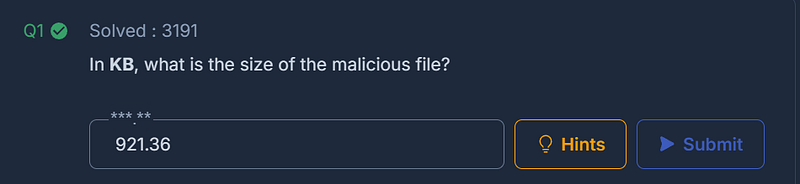
Question 1: In KB, what is the size of the malicious file?
First things first! Extract the challenge file using the password provided in the challenge. This leaves a simple .txt file named hash.txt.
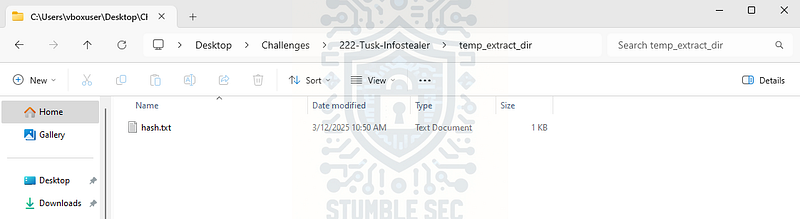
Contents of the Challenge File
Inside this file is the MD5 hash of a malware sample suspected of being linked to a recent cryptocurrency funds exfiltration:
E5B8B2CF5B244500B22B665C87C11767
With this file hash in our possession, we can pivot to checking it against threat intelligence and sample-sharing communities to search for known activity related to this exact file.
Our first stop is VirusTotal. Once on the site, submit the file hash to check if this sample has been uploaded before. If it has, we can leverage existing intelligence to learn more about the malware.
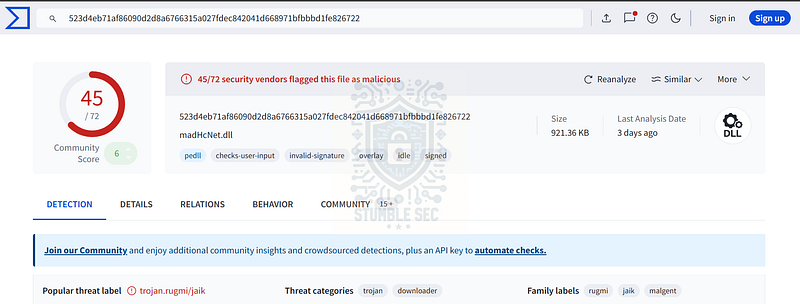
VirusTotal: Checking the file hash of the sample
Right away, we can confirm that our sample has been processed before, and a majority of anti-malware vendors have tagged it as malicious. That’s interesting, but to answer Question 1, we’re focused on the file size of the sample. You can find this by clicking on the Details tab and checking the File Size value under Basic Properties. We just need to grab the value listed in KB, instead of the bytes value
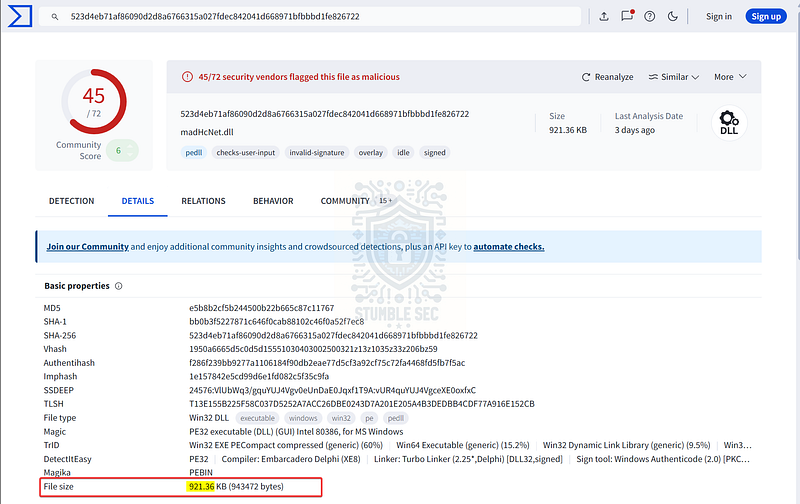
VirusTotal: Identifying the file size of the sample
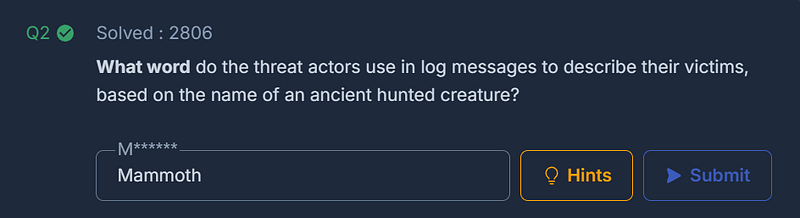
Question 2: What word do the threat actors use in log messages to describe their victims, based on the name of an ancient hunted creature?
Well, that’s an interesting question! Let’s dig into VirusTotal and see what else we can find that might allude to an ancient hunted creature.
For this, it can be helpful to check out the Community tab. This is a valuable place to find relevant research where other members share links to additional analysis or notes about a given sample.

Lucky for us, there’s a comment linking to an external post on Kaspersky’s Securelist blog. Let’s check it out:
Tusk campaign uses infostealers and clippers for financial gain _Kaspersky researchers discovered Tusk campaign with ongoing activity that uses Danabot and StealC infostealers and…_securelist.com
After a read-through of the introduction, we’ve already stumbled across the answer to Question 2:
We identified three active sub-campaigns (at the time of analysis) and 16 inactive sub-campaigns related to this activity. We dubbed it " # "
Tusk" , as the threat actor uses the word " # "
Mammoth" in log messages of initial downloaders — at least in the three active sub-campaigns we analyzed. " # "
Mammoth" is slang used by Russian-speaking threat actors to refer to victims. Mammoths used to be hunted by ancient people and their tusks were harvested and sold.
So, the creature is Mammoth.
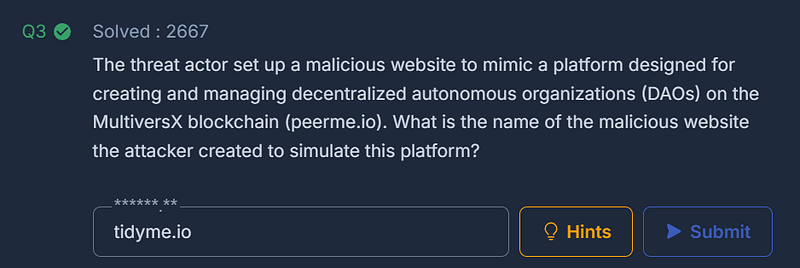
Question 3: The threat actor set up a malicious website to mimic a platform designed for creating and managing decentralized autonomous organizations (DAOs) on the MultiversX blockchain (peerme.io). What is the name of the malicious website the attacker created to simulate this platform?
Let’s dive deeper into this threat intelligence report and look for any information about the look-alike website spoofing peerme.io.
Inside the report, we can see detailed information about this exact scenario — nice!
In this campaign the actor simulated peerme.io, a platform for the creation and management of decentralized autonomous organizations (DAOs) on the MultiversX blockchain. It aims to empower crypto communities and projects by providing tools for governance, funding, and collaboration within a decentralized framework. The malicious website is tidyme[.]io.
We just need to re-fang the address by removing the brackets from the top-level domain before submitting the answer.
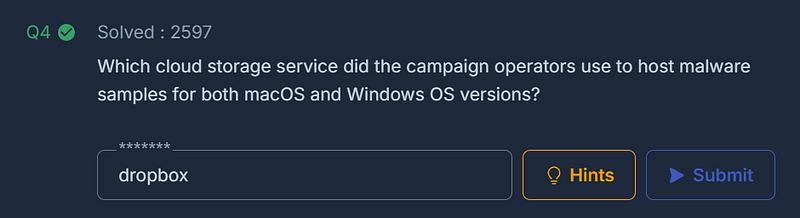
Question 4: Which cloud storage service did the campaign operators use to host malware samples for both macOS and Windows OS versions?
Reading through the first sub-campaign details, it’s identified that “this campaign has several malware samples for macOS and Windows, both hosted on Dropbox.“This means the attacker is leveraging a trusted, common cloud storage solution to host the initial downloader component of the campaign.
As we continue through the analysis, we’ll see that this same service is abused in all three sub-campaigns.
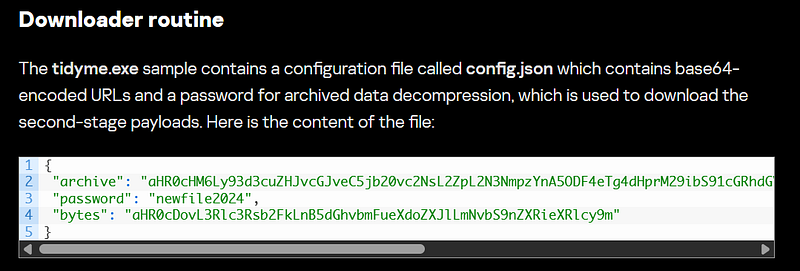
Question 5: The malicious executable contains a configuration file that includes base64-encoded URLs and a password used for archived data decompression, enabling the download of second-stage payloads. What is the password for decompression found in this configuration file?
Following execution of the initial downloader, there’s a background routine that fetches the second-stage payloads. The Downloader routine section of the first sub-campaign details the configuration file, including the password we need to answer Question 5.
https://securelist.com/tusk-infostealers-campaign/113367/
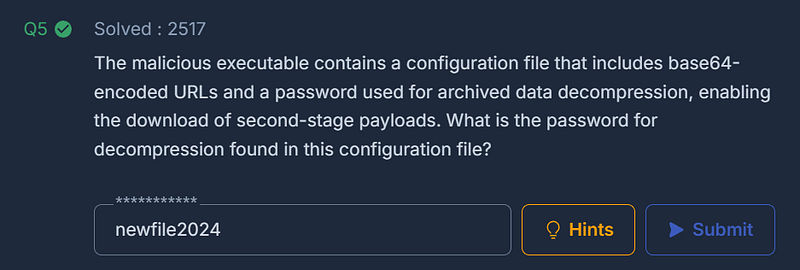
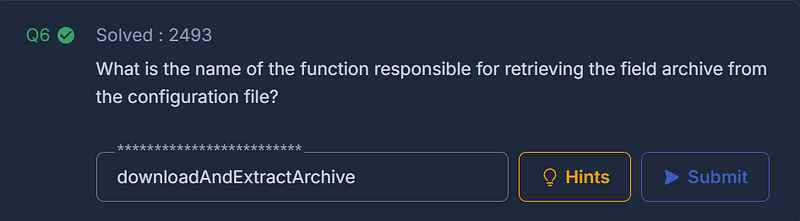
Question 6: What is the name of the function responsible for retrieving the field archive from the configuration file?
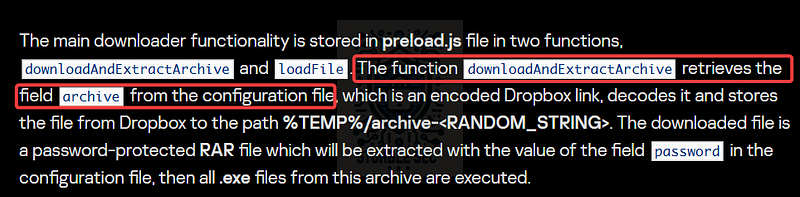
Moving right along, we’ll find that the report also documents the function we’re looking for to answer Question 6.
The function downloadAndExtractArchive retrieves the field archive from the configuration file, which is an encoded Dropbox link, decodes it and stores the file from Dropbox
https://securelist.com/tusk-infostealers-campaign/113367/
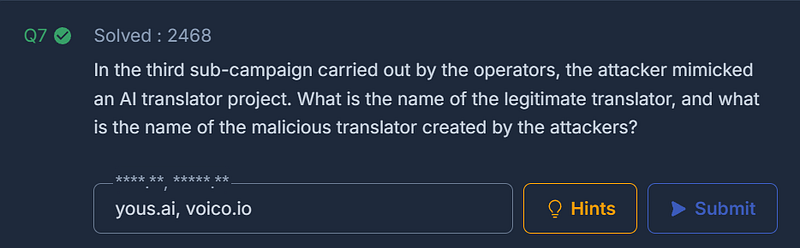
Question 7: In the third sub-campaign carried out by the operators, the attacker mimicked an AI translator project. What is the name of the legitimate translator, and what is the name of the malicious translator created by the attackers?
Moving on from the first sub-campaign section, we’re now going to focus on the third sub-campaign. In the summary of this campaign, it’s stated that:
In this campaign, the threat actor was simulating an AI translator project named YOUS. The original website is yous.ai, while the malicious website is voico[.]io:
This is all the information we need. The only trick is that we must again remove the defang brackets from the malicious URL before submitting the answer.
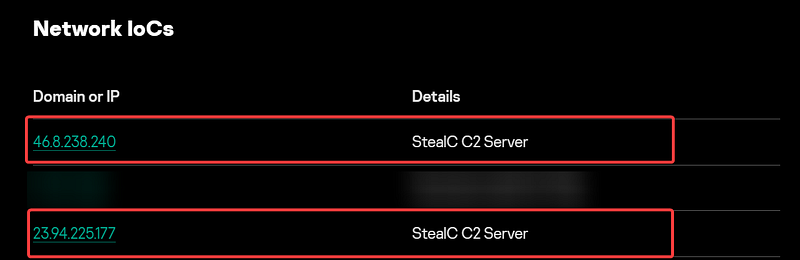
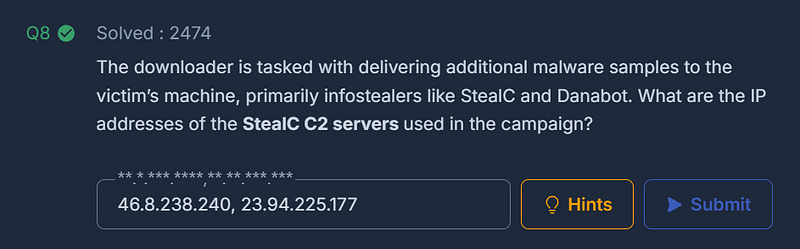
Question 8: The downloader is tasked with delivering additional malware samples to the victim’s machine, primarily infostealers like StealC and Danabot. What are the IP addresses of the StealC C2 servers used in the campaign?
The next question has us assessing the reporting looking for tactical indicators of compromise (IoCs) associated with the StealC infostealer. We can locate this specific information in the report under the Network IoCs section where they are labelled StealC C2 server:
https://securelist.com/tusk-infostealers-campaign/113367/
Having these indicators readily available is really helpful so that we could hunt for matching activity against the fictional organization in the challenge and confirm the same infrastructure was used.
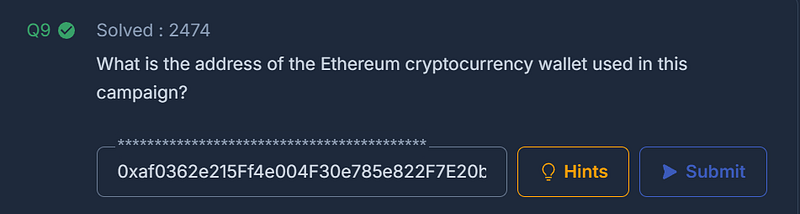
Question 9: What is the address of the Ethereum cryptocurrency wallet used in this campaign?
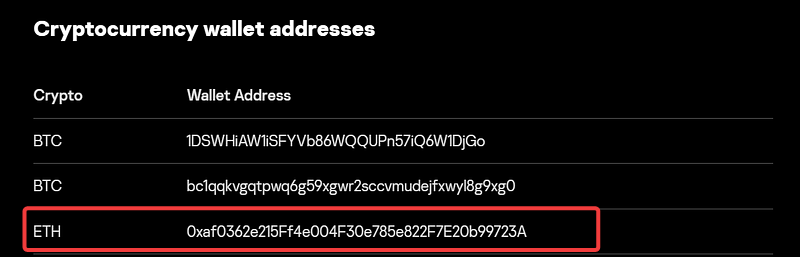
On to the final question for this threat intelligence challenge: identifying the Ethereum (ETH) cryptocurrency wallet address associated with the campaign.
While the wallet addresses are listed in each of the sub-campaign sections, we can also easily access them in the dedicated Cryptocurrency wallet addresses section of the report:
https://securelist.com/tusk-infostealers-campaign/113367/
This provides us with further tactical information we could use in additional analysis of the impact of the attack. Now that we’ve analyzed the report and collected the relevant information, let’s wrap up this case!
Conclusion:
That’s a wrap on the Tusk Infostealer challenge and the end of our investigation! A big thank you to CyberDefenders for another awesome challenge.
This challenge was a fantastic exercise in threat intelligence analysis, tying together several important concepts: pivoting from a single file hash, leveraging community resources like VirusTotal, and extracting tactical indicators such as C2 IPs and cryptocurrency wallet addresses. We also explored how attackers abuse trusted services like Dropbox and spoof legitimate platforms to build credibility.
Working through each question, we followed the trail of clues and learned how to pivot between threat intelligence reports and real-world IoCs to uncover the attacker’s infrastructure. I chose this challenge because it’s perfect for sharpening investigative skills and demonstrates how defenders can use open-source intelligence to map out an entire campaign.
It’s pretty cool that starting with just a hash, we can reveal how attackers chain techniques — from initial downloaders to second-stage payloads, and ultimately to financial exfiltration through cryptocurrency wallets. Awesome!
Thanks for your support and partnering on this investigation. If you found this walkthrough helpful, don’t forget to give it a clap and consider following me! Your feedback really is invaluable, and it pumps me up to support your security journey. Remember, Cybersecurity is a team sport and we’re in this together!
Until next week’s challenge — stay curious and be safe out there!
Tools & References:
Challenge Link: https://cyberdefenders.org/blueteam-ctf-challenges/tusk-infostealer/
Securelist — " # “Tusk: unraveling a complex infostealer campaign”: https://securelist.com/tusk-infostealers-campaign/113367/
VirusTotal: https://www.virustotal.com/
VirusTotal — Sample: https://www.virustotal.com/gui/file/523d4eb71af86090d2d8a6766315a027fdec842041d668971bfbbbd1fe826722